
This project was born from a problem I faced both during my university years and now, in the working world. The issue arises every time I try to book a trip with Renfe during peak hours.
These times are usually Friday and Sunday afternoons, when students travel between their cities and homes. Also early on weekdays, when many people commute to work.
Getting a ticket at those times is almost complicated: either you book way in advance, or you rely on luck and hope someone cancels their trip the exact moment you try to buy.
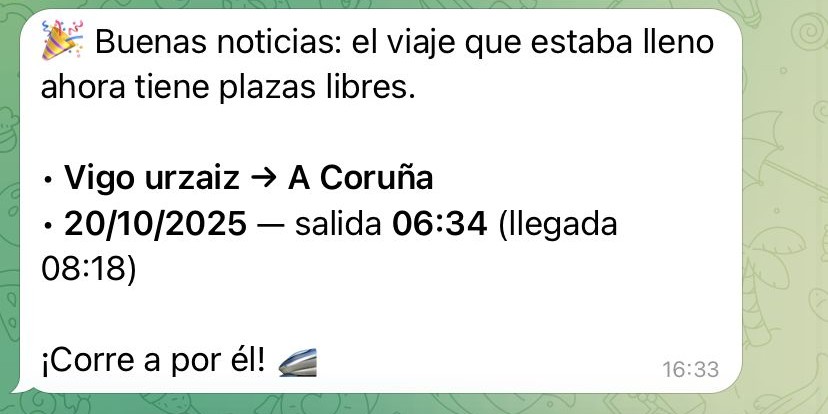
That's where the idea for this project comes from. The bot allows you to select trips that are full and monitors them for you. As soon as it detects that someone has canceled their ticket, it sends you a notification so you can buy it immediately.
How it works
Interaction with the bot is done through Telegram.
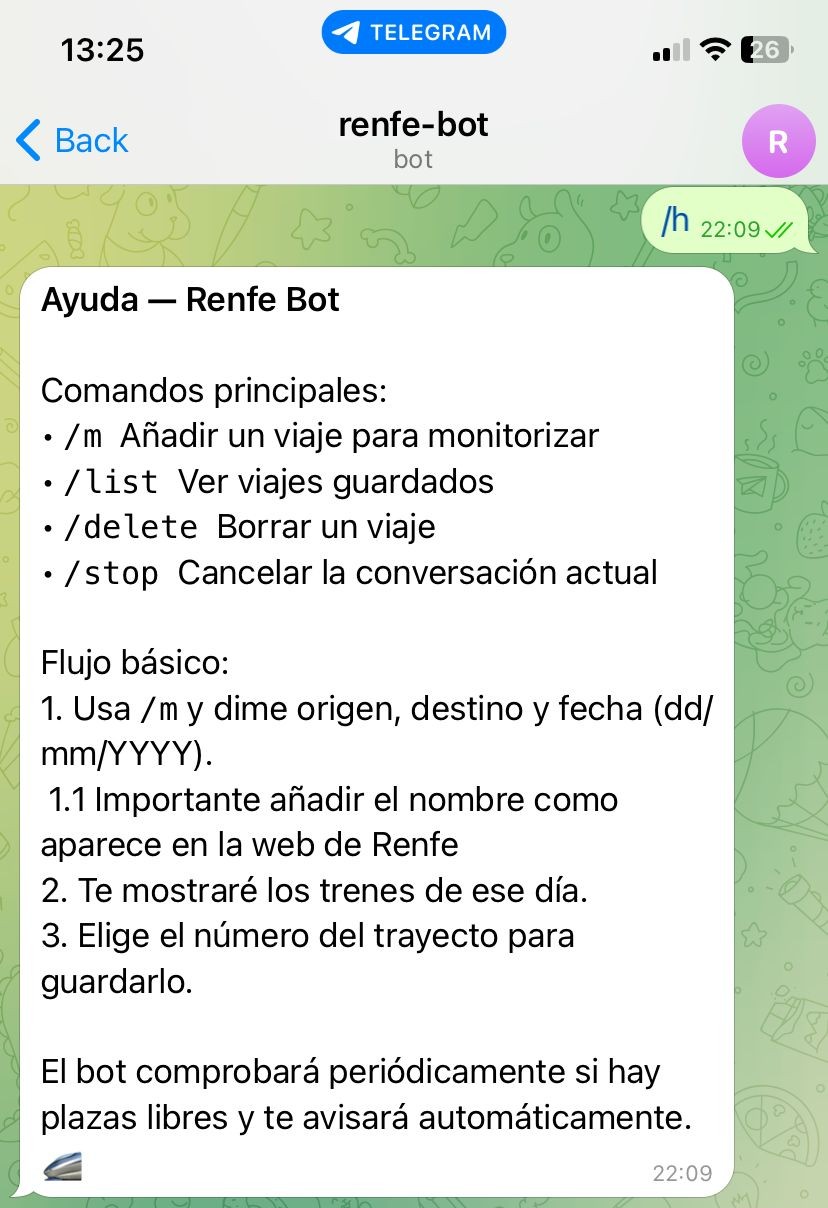
From there, you can indicate the origin and destination stations along with the travel date. You are shown the trains and you choose the one you want to monitor. You can only monitor trains that are full.
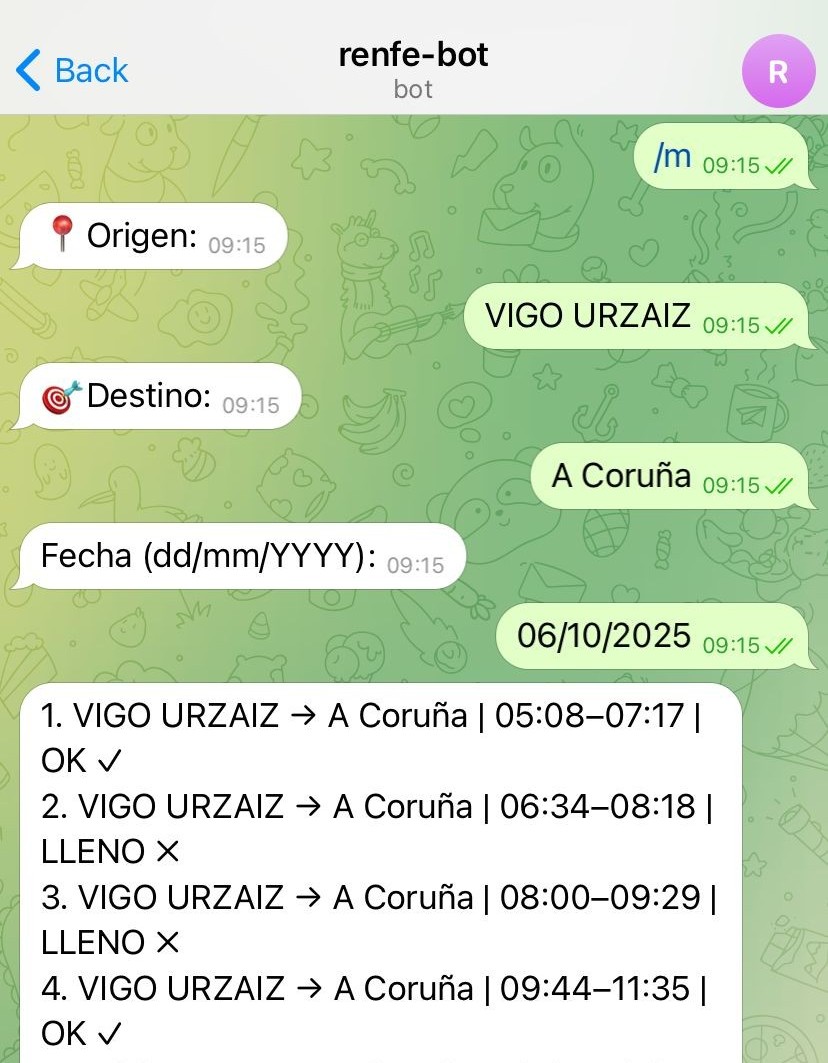
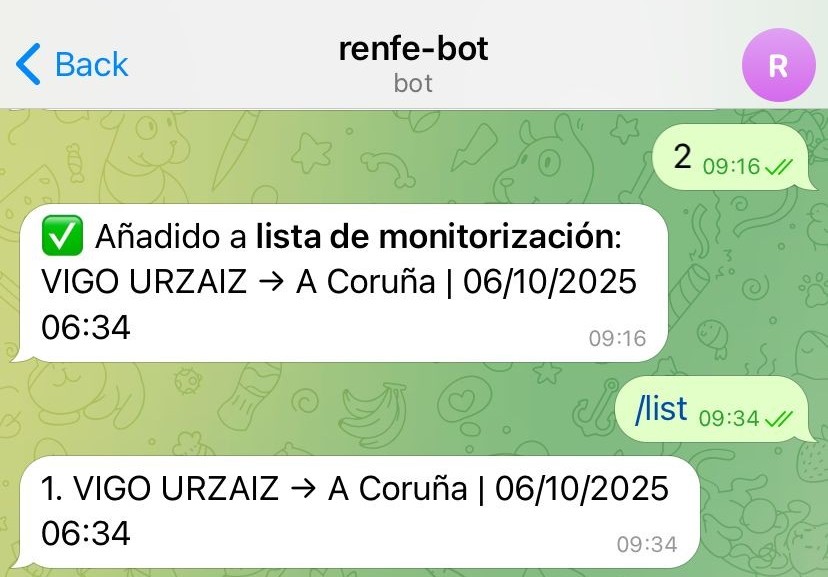
You can add multiple trips, check the list of tracked journeys, or delete trips (if a journey stops being full, it is automatically removed from the monitoring list).
The moment someone cancels their trip, the bot sends you a notification.
Technical Details
The core of the project is a scraper developed in Python using Playwright. Playwright allows interacting with web pages just like a person would.
The scraping process follows these steps:
- Navigation and Cookies: The bot starts a Chromium instance (headless), accesses the Renfe website, and manages the cookie banner.
- Form Interaction:
- Autocomplete: To enter the origin and destination stations, the script types the name, waits for autocomplete suggestions, and uses
difflib.SequenceMatcherto select the most similar option. - Date Selection: Interacts with the
lightpickcalendar component on the web, navigating between months and years to click on the exact day.
- Autocomplete: To enter the origin and destination stations, the script types the name, waits for autocomplete suggestions, and uses
- Result Extraction: Once the search is performed, the script waits for the train table to load (
#listaTrenesTBodyIda). It analyzes each row to extract schedules and determine the status:- Available: If it detects a price (
.precio-final). - Full: If it finds indicators of sold-out seats (specific icons or CSS classes).
- Available: If it detects a price (
- Verification: Compares the results with the monitored trains and, if it finds availability in one that was full, triggers the notification via the Telegram API.